Professional email templates for every exchange event
54 production-ready email templates across 5 exchanges. Live preview, variable substitution, per-exchange overrides — all editable from the admin panel.
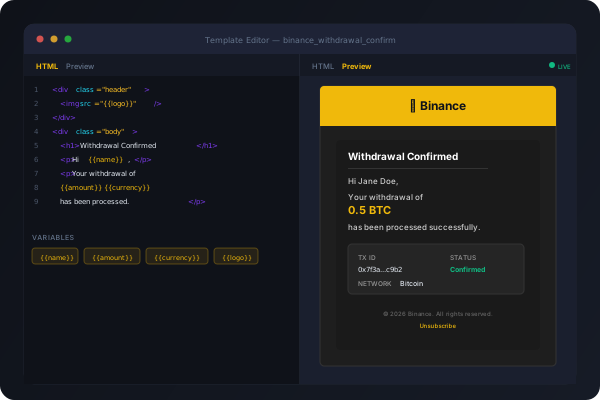
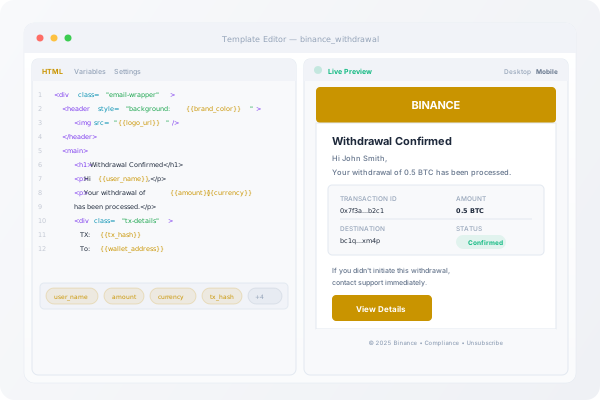
Templates that match your exchange brand
Every template is exchange-aware — correct logos, brand colours, and compliance footers applied automatically.
54 Production Templates
Withdrawal confirmations, deposit alerts, login warnings, 2FA codes, KYC approvals, and more — pre-built for 5 major exchanges.
Exchange Packs
Binance, Coinbase, Kraken, OKX, and Bybit packs. Each with brand-matched colours, logos, and compliance content.
Admin Editor
Split-pane editor with live preview, variable chips, and syntax highlighting. Override any default template without touching code.
See the template library in action
Preview all 54 templates with sample data from your exchange.
Key Features
Brand-Matched Design
Templates automatically apply exchange brand colours, logos, and footers based on the selected exchange pack.
Live Preview Editor
CodeMirror split-pane editor with debounced preview, variable chips for quick insertion, and DOMPurify sanitization.
Variable Substitution
Liquid-style variables like {{user_name}}, {{amount}}, {{currency}} replaced at render time with type-safe data.
Override System
Override any default template from the admin panel. Reset to default at any time. Overrides stored separately from pack originals.
Test Email Sending
Send test emails from the editor to verify rendering, variable substitution, and SMTP delivery before going live.
Outlook Compatible
All templates tested against Outlook, Gmail, Apple Mail, and mobile clients. Table-based layout ensures consistent rendering.
Frequently Asked Questions
Yes. You can create new templates from the admin panel or via the API. Custom templates follow the same variable substitution and brand-matching system.
Binance (14 templates), Coinbase (10), Kraken (10), OKX (10), and Bybit (10). Additional exchange packs can be installed via the addon system.
Navigate to the template editor, modify the HTML, and save. Your override is stored separately from the pack original. Click "Reset to Default" at any time to revert.
Related Products
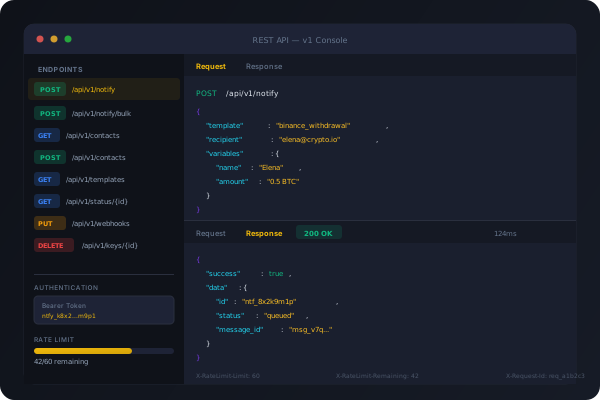
REST API & Integrations
12 authenticated API endpoints for notification dispatch, contact management, template queries, and delivery tracking. Bearer token auth with per-key rate limiting.
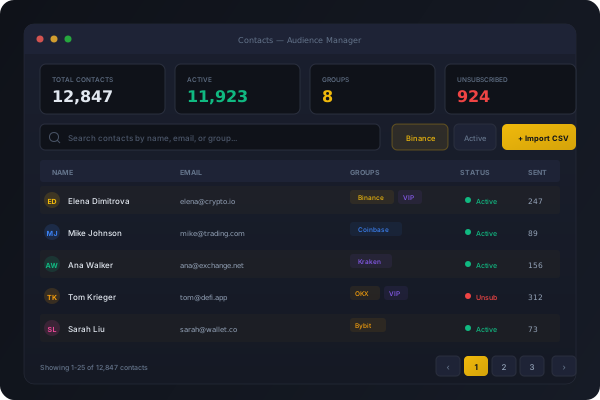
Contact & Audience Manager
Import, segment, and manage your notification recipients. CSV import, group segmentation, suppression lists, and unsubscribe compliance built in.
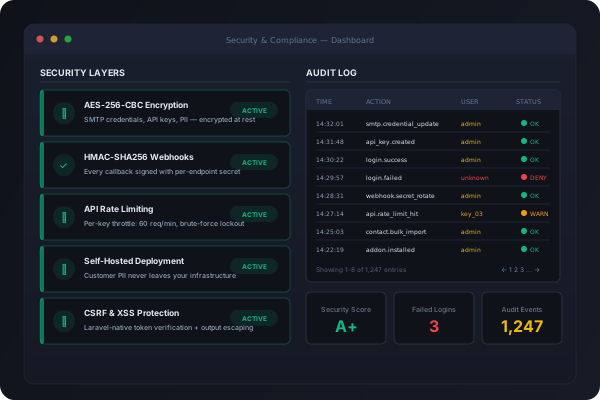
Security & Compliance Suite
Self-hosted deployment means customer PII never leaves your servers. AES-256 encryption, HMAC-signed webhooks, audit trails, and brute-force protection included.