Manage every recipient from a single dashboard
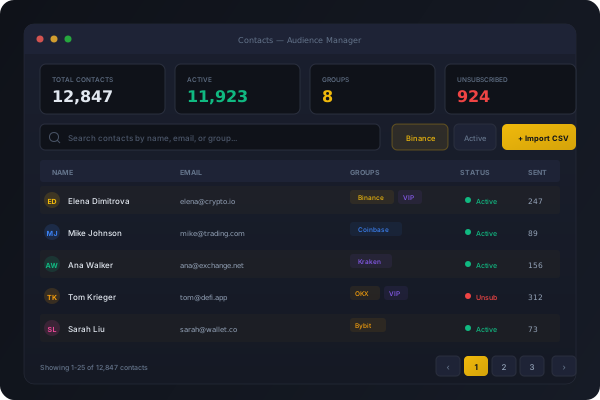
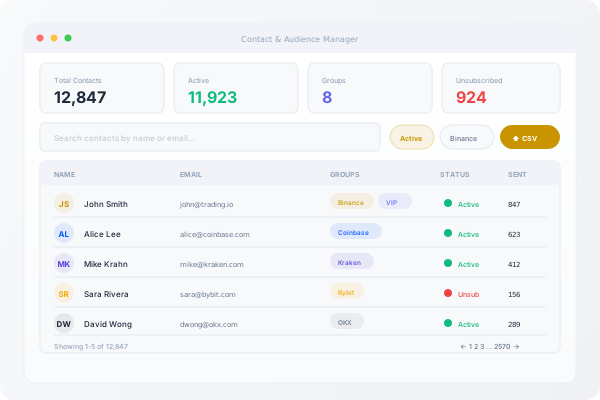
Import, segment, and manage your notification recipients. CSV import, group segmentation, suppression lists, and unsubscribe compliance built in.
Audience management built for compliance
Import contacts, organise into groups, and enforce unsubscribe compliance — all from the admin panel.
CSV Import
Bulk import contacts from CSV files with chunked processing. Duplicate detection, validation, and progress tracking.
Group Segmentation
Organise contacts into groups for targeted notifications. Segment by exchange, status, or custom criteria.
Unsubscribe Compliance
Signed unsubscribe URLs with suppression list enforcement. Unsubscribed contacts automatically excluded from sends.
Start managing your audience today
Import your existing contact list and start sending in minutes.
Key Features
Chunked CSV Import
Import thousands of contacts from CSV files. Chunked processing with real-time progress tracking in the admin panel.
Group Management
Create contact groups for targeted sends. Pivot table supports many-to-many relationships with bulk assignment.
Segment Engine
Build dynamic segments with rule-based filters. Combine conditions on status, group, exchange, and custom fields.
Suppression Lists
Unsubscribed and bounced contacts automatically suppressed. No manual exclusion lists required.
Signed Unsubscribe
Every email includes a signed unsubscribe link. One click removes the contact — no login required, fully compliant.
API Sync
Create, update, and delete contacts via the REST API. Keep your exchange user database in sync automatically.
Frequently Asked Questions
CSV import uses chunked processing, so there is no hard limit. Files with 50,000+ contacts are processed in background jobs with progress tracking.
Yes. Every notification includes a signed List-Unsubscribe header and a one-click unsubscribe link. Unsubscribed contacts are automatically suppressed from future sends.
Yes. The pivot table supports many-to-many relationships. A contact can be in "VIP", "Binance Users", and "High Volume" groups simultaneously.
Related Products
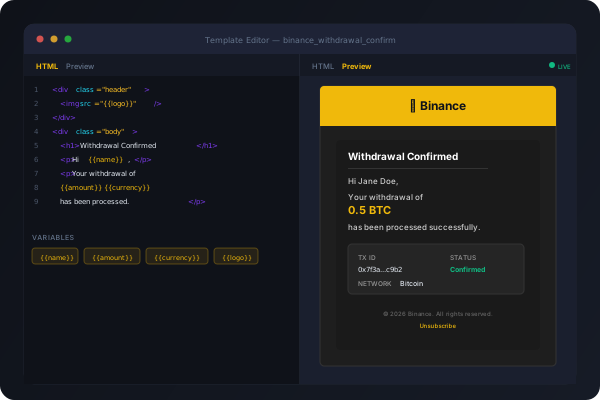
Template Management System
54 production-ready email templates across 5 exchanges. Live preview, variable substitution, per-exchange overrides — all editable from the admin panel.
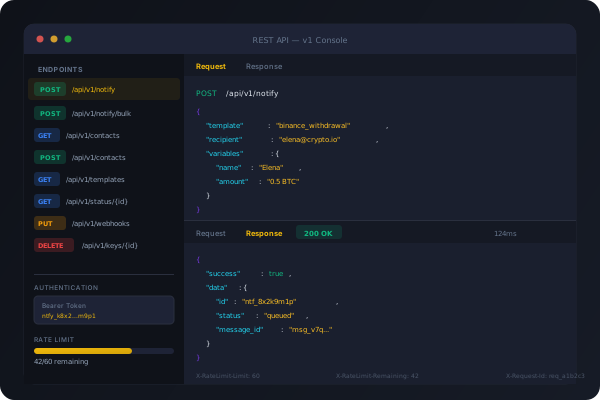
REST API & Integrations
12 authenticated API endpoints for notification dispatch, contact management, template queries, and delivery tracking. Bearer token auth with per-key rate limiting.
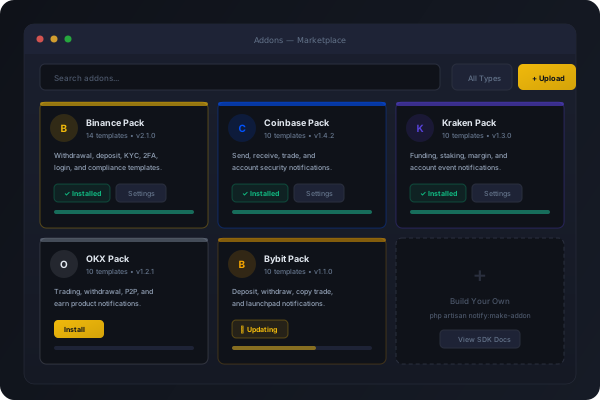
Addon Marketplace
Extend Notify with exchange packs, custom channels, workflow hooks, and third-party integrations. Install, update, and remove addons without touching the core.